How to take warm, real photos with students at the center. Start with the common mistakes: each pair puts a weak photo next to a strong one, and usually one habit is the whole difference.
Get at least the main people's faces and expressions. A photo of only the backs of heads is almost never usable. A shoulder at the edge is fine when it frames a face we can see; a person cut in half is not.
看看四个边Check the four edges
按快门前看看画面四边和每个人头后面:别拍进垃圾桶和路人,也别让电线杆从头上「长」出来。
Before you press, look at the edges and behind every head: no trash cans or strangers, and no pole growing out of someone's head.
拍真实的瞬间Shoot real moments
合影拍一两张就够。好照片多在合影前后:大家在聊、在学、在笑的时候。
One or two group shots are enough. The good photos come before and after them, while people talk, learn and laugh.
交原图Hand in originals
不加滤镜、贴纸、水印,不修图。能传 Google Drive 就传;用微信发一定勾选「原图」。
No filters, stickers, watermarks or editing. Upload to Google Drive if you can; if you send by WeChat, always check 原图 (Full Image).
02
出发前:两分钟设置手机Before you go: a two-minute phone setup
出门前花两分钟,把这几项弄好。设置类的只要弄一次,擦镜头和充电每次都要做。
Take two minutes before you leave. The settings only need to be changed once; wipe the lens and charge up every time.
In each pair, the photo marked ✕ shows a common mistake and the one marked ✓ shows it done well, usually the same scene on the same day. Photos tagged Simulated were made from our good photos by changing one thing (darker, blurred, tilted, badly cropped), so the only difference is the mistake. Tap any photo to see it larger.
Not enough light indoors: faces turn gray and grainy, and brightening it later can't save it.
怎么改:Fix: 让人坐到窗边或灯下(窗户在人的旁边,不要在人背后);点一下脸,再把小太阳往上拉一点;手拿稳,多拍几张。Move people beside a window or under a lamp (the window beside them, never behind them), tap the face and drag the little sun up a bit, hold steady and take several frames.
逆光,脸是黑的Sun behind them
✕ 错误Mistake
✓ 这样拍Do this
太阳在大家背后,手机按亮的天空来定亮度,人就拍成了黑影。看得到横幅,看不到人。
With the sun behind the group, the phone sets the brightness for the sky and the people turn into silhouettes. You can see the banner but not the students.
怎么改:Fix: 转个方向,让光照在脸上,或者走到阴凉处再拍。同一天、同一个地方,换个角度就好了。在屋里也一样:别让人背对着亮窗户。剪影照可以多拍一张,但不能只有这一种。Turn so the light falls on faces, or step into shade. Same day, same place: a different angle fixed it. Indoors it's the same: never seat people in front of a bright window. A silhouette is a fine extra shot, but never the only one.
大太阳下站成一排A row of people in harsh sun
✕ 错误Mistake
✓ 这样拍Do this
中午在大太阳下,有人戴着墨镜,大家站成一排,离得又远,像打卡照。
In harsh midday sun, people hide behind sunglasses and stand in a spread-out row, shot from far away. It looks like a "we were here" snapshot.
怎么改:Fix: 太阳在头顶时,把大家带到阴凉处;请大家摘下墨镜,靠近一点,你也走近一点。If the sun is overhead, move everyone into shade. Ask for sunglasses off, bring people close together, and step closer yourself.
太亮,发白Washed out
✕ 错误Mistake模拟Simulated
✓ 这样拍Do this
天空变成一片白,皮肤也发白,后面的山不见了。过曝发白的地方,后期也调不回来。
The sky goes white, skin turns pale and the mountains behind disappear. Blown-out white can't be recovered later.
怎么改:Fix: 点一下人脸,再把对焦框旁边的小太阳往下拉,直到天空有颜色。Tap the face, then drag the little sun next to the focus box down until the sky keeps some color.
清晰度Sharpness
手抖,拍糊了Camera shake
✕ 错误Mistake模拟Simulated
✓ 这样拍Do this
按快门时手动了一下,整张都是重影。在手机上看还行,一放大就不能用了。
The phone moved as you pressed, so everything doubles. It looks fine on your phone and falls apart when enlarged.
怎么改:Fix: 两只手拿手机,手肘贴着身体,轻轻按;屋里光暗时靠着东西拍,多拍几张。拍完放大看一眼。Two hands, elbows in, a gentle press; in dim rooms brace against something and take several frames. Enlarge the photo to check it before you move on.
镜头有指纹Smudged lens
✕ 错误Mistake模拟Simulated
✓ 这样拍Do this
整张照片发雾,亮的地方有一圈光晕。手机常放口袋里的话,很容易这样。
The whole photo looks foggy, with a glow around bright areas. It happens easily when the phone lives in a pocket.
怎么改:Fix: 每次活动前,用软布或衣角擦一下镜头。Wipe the lens with a soft cloth or your shirt before every activity.
站在远处双指放大Pinch zoom from far away
✕ 错误Mistake模拟Simulated
✓ 这样拍Do this
双指放大只是把照片裁小:脸糊、颜色脏。两张取景一样,标「✓」的那张是清楚的样子,走近拍就是这样。
Pinching to zoom just crops the photo: soft faces, muddy color. Both frames show the same view; the ✓ one shows the sharp version, which is what walking closer gets you.
怎么改:Fix: 先用 1x,走过去拍。实在走不过去,就点屏幕上的镜头按钮(比如 2x、3x),不要在按钮之外再用手指放大。Stay on 1x and walk closer. If you really can't, tap a lens button (such as 2x or 3x), and never pinch beyond it.
Photos sent in a WeChat chat without 原图 are shrunk to a fraction of their size. They look fine on a phone but too soft for a website banner or a brochure. (Both images are zoomed-in details.)
怎么改:Fix: 能传 Google Drive 就直接传。用微信发的话,一定勾选「原图」,或者点「+」→「文件」,把照片当文件发。Upload to Google Drive if you can. If you send by WeChat, always check 原图 (Full Image), or tap + → File and send them as files.
取景Framing
离得太远Too far away
✕ 错误Mistake
✓ 这样拍Do this
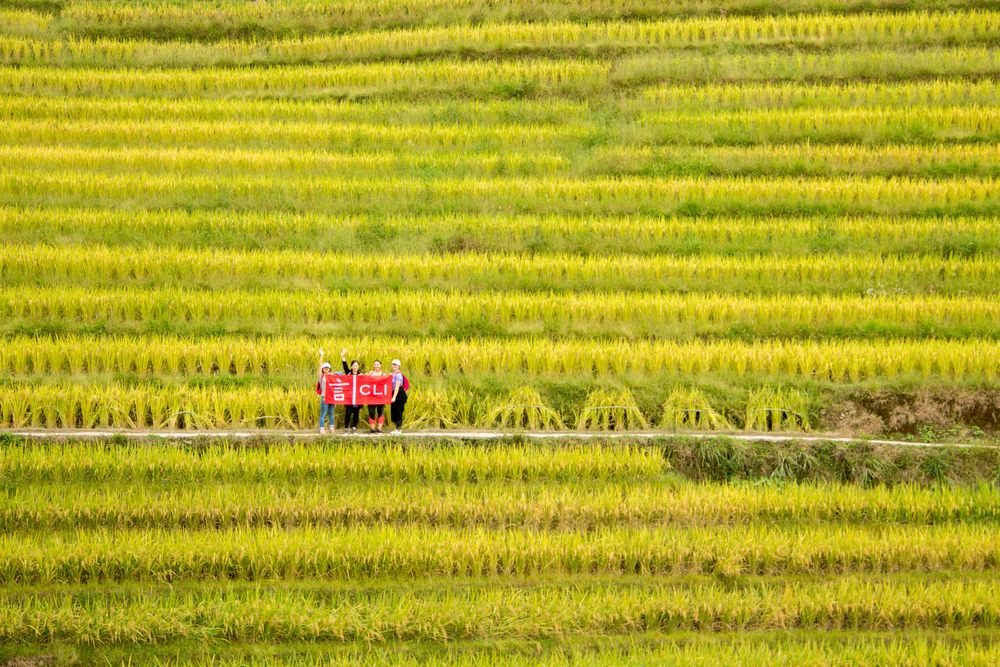
梯田很美,但人小得像一个点,看不出是谁、在做什么。同一个小组,同一面横幅。
Beautiful terraces, but the people are a speck: you can't tell who they are or what they're doing. Same group, same banner.
怎么改:Fix: 往前走,直到人在画面里够大,看得清脸。风景留一点就够。Walk forward until people are large enough to show their faces. Keep just enough scenery.
有人被切掉一半Someone cut in half at the edge
✕ 错误Mistake模拟Simulated
✓ 这样拍Do this
画面左边的人只剩半个身子,看起来像拍错了。
The person on the left is half out of the frame, and it looks like an accident.
怎么改:Fix: 按快门前看看左右两边:要么把人整个拍进来,要么干脆别把他拍进来。Check the sides before you press: either the whole person is in, or they're out.
拍歪了Crooked horizon
✕ 错误Mistake模拟Simulated
✓ 这样拍Do this
栏杆和地面都斜了,整张照片看起来不稳。
The railing and the ground lean, and the whole picture feels off balance.
怎么改:Fix: 打开相机的「参考线」(有的手机叫「网格」),让地平线或栏杆和参考线对齐。Turn on the camera grid and line the horizon or railing up with it.
背景太乱Busy background
✕ 错误Mistake
✓ 这样拍Do this
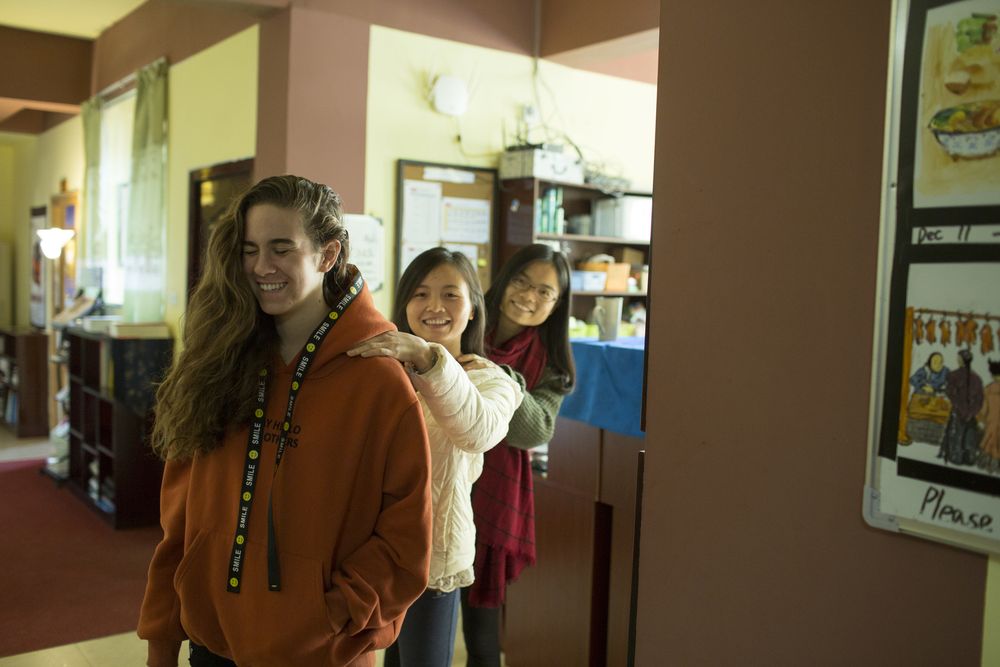
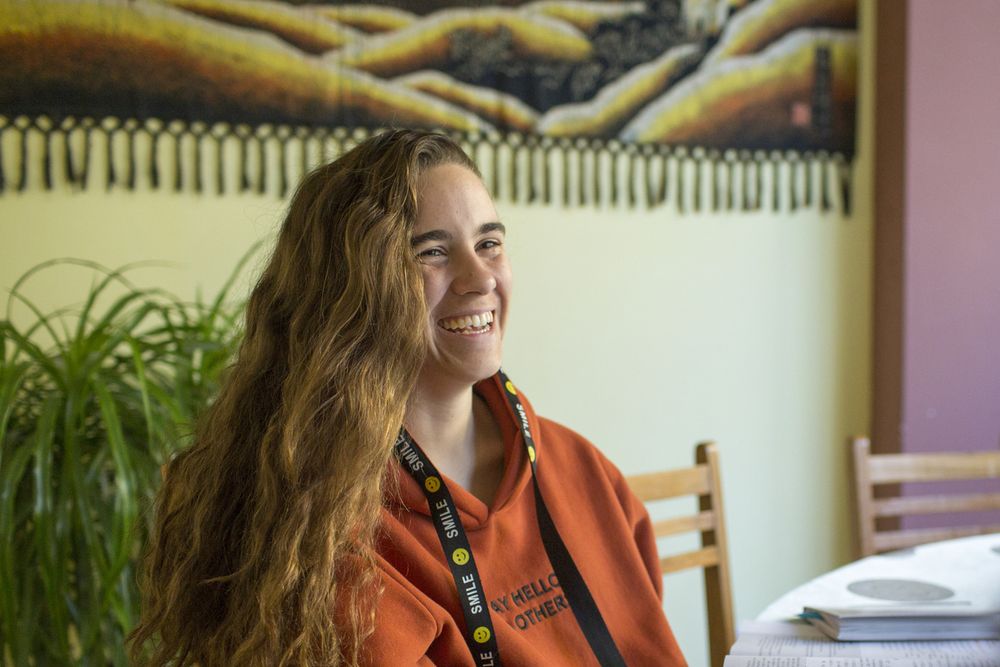
门、书架、白板、很亮的门口都在抢风头,看照片的人不知道该看哪儿。同一个学生,同一天。
Doors, shelves, a whiteboard and a bright doorway all compete for attention, so the eye doesn't know where to land. Same student, same day.
怎么改:Fix: 走近一点,找一个简单的背景:一面墙、一盆植物、一块素色的窗帘。Move closer and find one plain background: a wall, a plant, a plain curtain.
前面有东西挡着Something in front of the lens
✕ 错误Mistake
✓ 这样拍Do this
右边一大块模糊的东西挡住了画面,可能是别人的帽子或包。手指挡到镜头也是这样。
A big blur covers the right third of the frame, maybe someone's hat or bag. A finger over the lens looks just like this.
怎么改:Fix: 按快门前看一眼四个边;拿手机时手指别靠近镜头。Glance at all four edges before you press, and keep your fingers away from the lens.
只拍了竖图Only a vertical shot
✕ 错误Mistake模拟Simulated
✓ 这样拍Do this
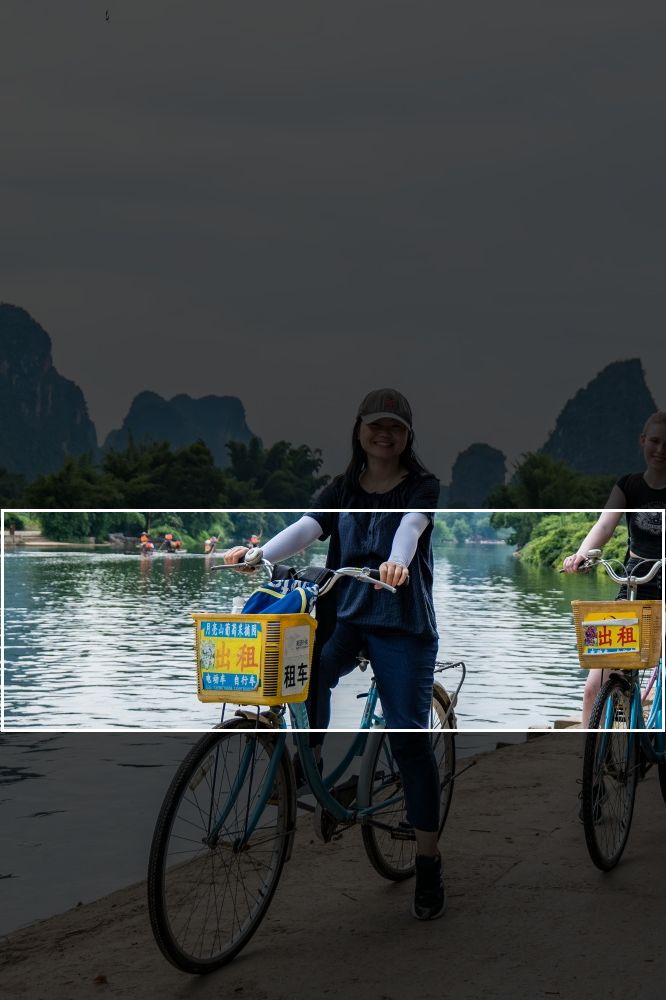
网站顶部的大图是横的。只有竖图的话,能用的只有亮框里那一条,人和山都被切掉了。
Website banners are wide. From a vertical photo, only the bright strip survives, cutting through the riders and the mountains.
怎么改:Fix: 好的场景竖的横的都拍。拍横图时,人旁边多留一点空间。Shoot every strong scene both ways. In horizontal shots, leave a little extra room beside the people.
人和瞬间People and moments
看不到学生的脸The student's face is missing
✕ 错误Mistake
✓ 这样拍Do this
看得到老师的脸,学生只有半个侧脸。照片要讲的是「学生在学中文」,可是看不到学生的表情。同一节课。
We see the teacher's face, but only the side of the student's head. The story is "a student learning Chinese", and we can't see the student's expression. Same lesson.
怎么改:Fix: 绕到桌子另一边,或者站到能同时看到两张脸的位置。Walk around the table, or stand where you can see both faces.
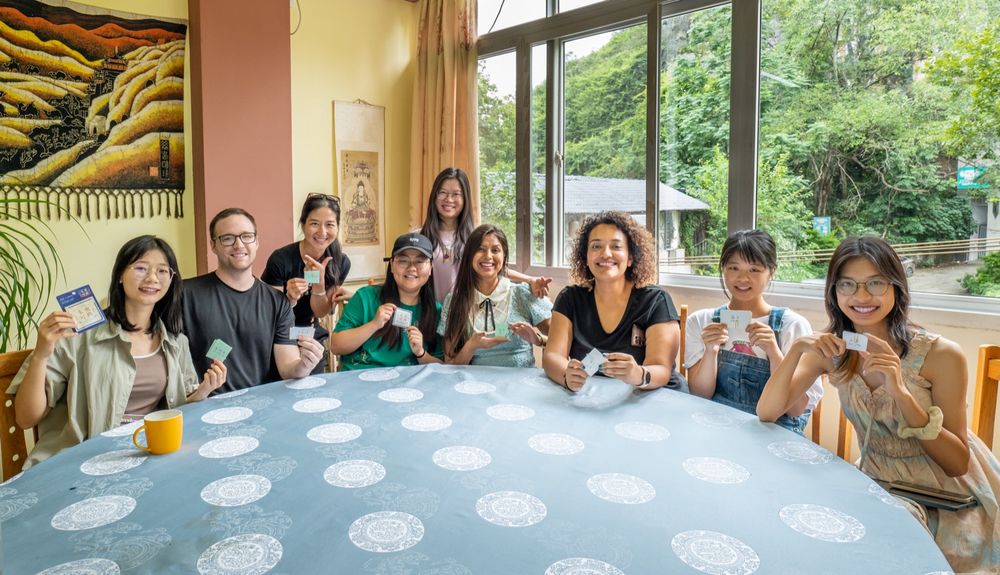
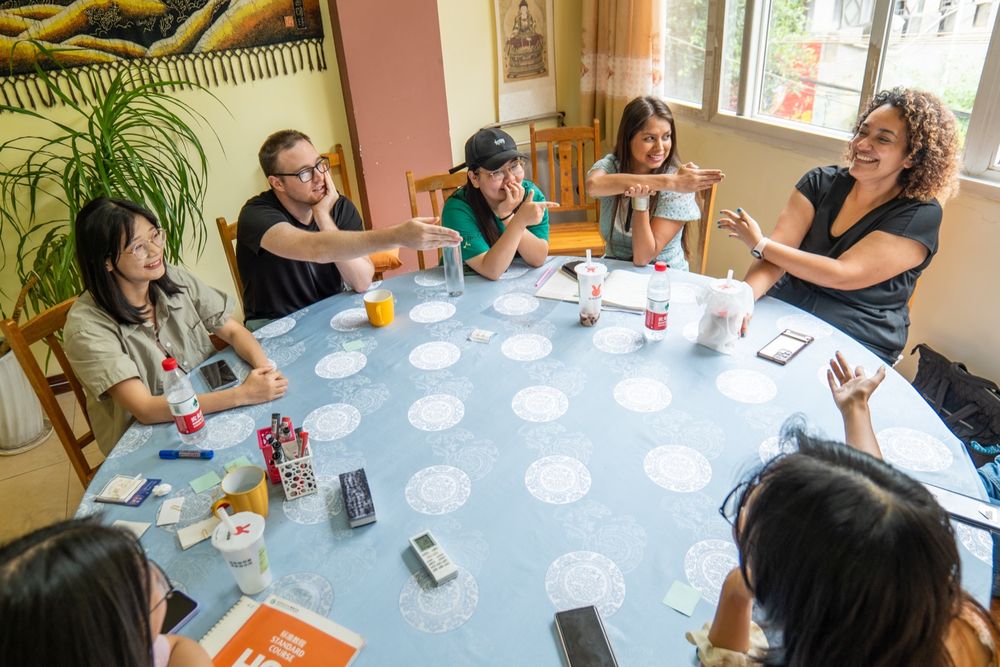
Everyone holds up a card and looks at the lens, shot very wide, so the people at the edges are stretched. One group shot is fine, but it doesn't show what happened in class. Same table.
怎么改:Fix: 合影拍完别放下手机。游戏开始后,大家说话、比手势、笑的时候,才是拍好照片的时候。Keep shooting after the group photo. The good shots come once the game starts: people talking, gesturing and laughing.
The CLI sign is in the shot, but the room is empty, and the phone is tilted up so the walls lean. With no people, there's no story. (We blurred the names on the board.)
怎么改:Fix: 等学生和老师在的时候再拍。同一块牌子,下面有人在笑,就完全不一样。Come back when students and teachers are there. The same sign with people laughing under it is a different photo.
Neon color, orange plastic-looking skin, dark corners. It may look nicer on your phone, but on the website it looks fake, and we can't undo it.
怎么改:Fix: 不加滤镜,不开美颜,不修图。交原图,要调的地方我们来调。No filters, no beauty mode, no editing. Hand in originals; we'll make any adjustments.
水印:手机型号、日期Watermarks: phone model and date
✕ 错误Mistake模拟Simulated
✓ 这样交Do this
照片角上印着日期,下面还有手机型号的白条。这样的照片不能放到网站和宣传册上。
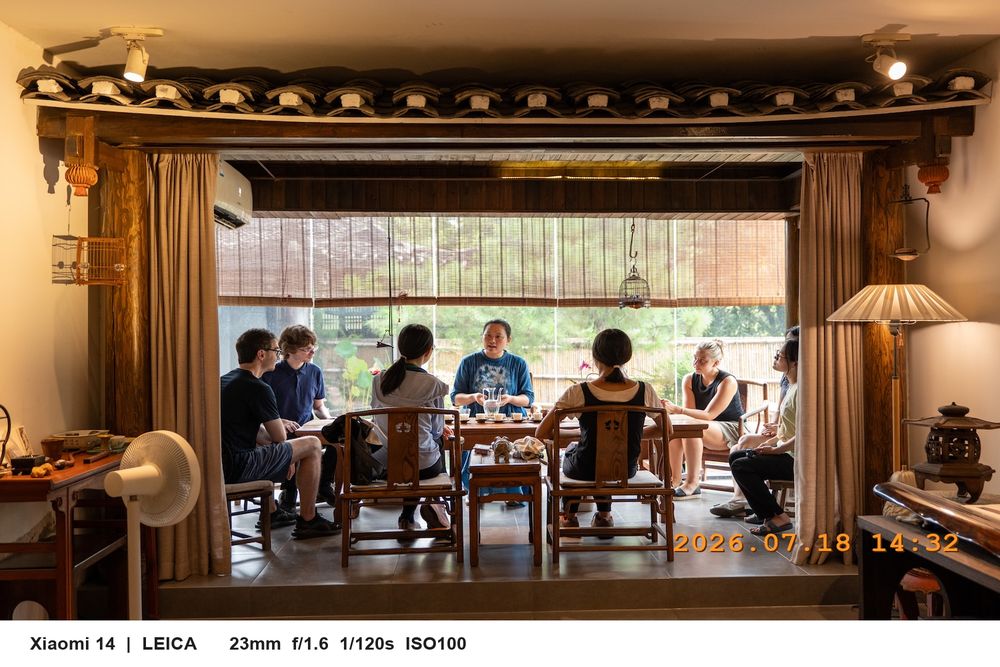
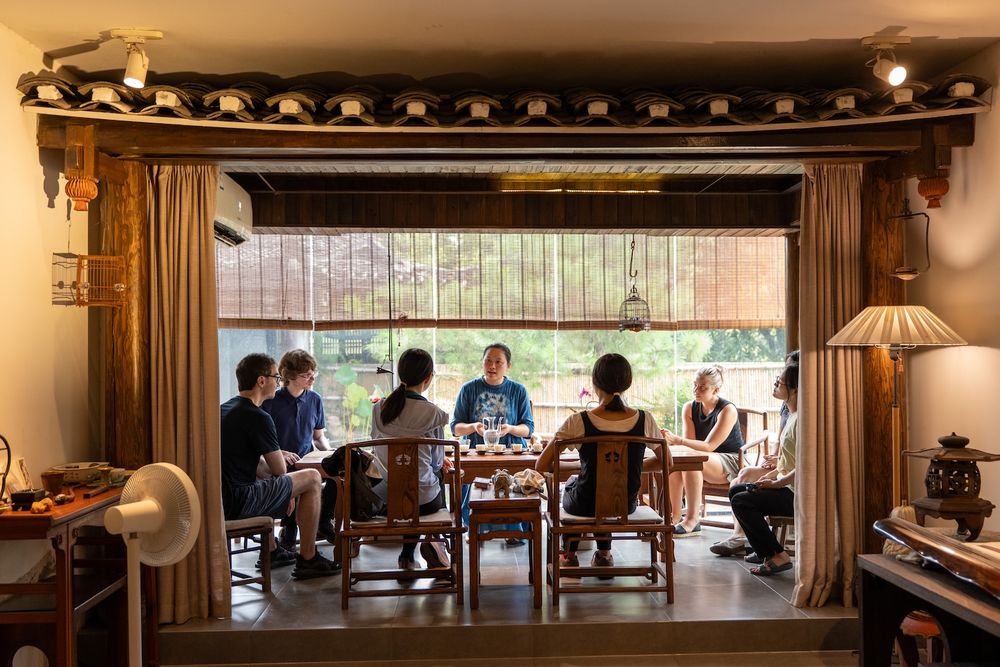
A date in the corner and a phone-model strip along the bottom. These can't go on the website or in a brochure.
怎么改:Fix: 在相机设置里找到「水印」,把手机型号、时间这些水印全部关掉。拍活动不要用水印相机(今日水印相机等)。不要加贴纸和文字。In the camera settings, find Watermark (水印) and turn off every watermark (phone model, date and time). Never shoot activities in a watermark camera app (今日水印相机 and the like). Don't add stickers or text.
Light matters more than the phone. The easiest good light is soft daylight: the hour or so after sunrise and before sunset, open shade, under eaves, beside a window, or a cloudy day. Under trees works too, as long as the light is even.
Avoid harsh midday sun, faces half bright and half dark, squinting, a white sky or a bright window behind people, and blotchy light under trees.
现场规则:Field rule: 拍之前先看脸:脸上的光均匀吗?不均匀,就让人往左、往右、往前、往后挪两米,或者挪到阴凉处。脸上的光永远比漂亮背景重要。Before you shoot, look at the face: is it evenly lit? If not, move people two meters left, right, forward or back, or into shade. Good light on faces always beats a beautiful background.
Strong photos usually have a simple background. Before you press, scan for cars, trash cans, strangers, bright signs, poles, branches growing out of heads, piles of bags and construction mess.
One small move fixes most of it: move yourself, move the people, crouch, step up, or turn the group. Use a tree, river, wall, mountain, path, courtyard, classroom, tea table or Guilin street as the backdrop.
3. 拍真实的瞬间,不只拍摆好的姿势3. Capture real moments, not only poses
Most people stiffen when they see a camera. Don't just wait for smiles at the lens; watch for the real moments already happening: a student listening closely, a teacher explaining, two people laughing, someone looking out at the view, a student hunting for a familiar character on a menu, someone asking directions in Chinese.
Take the group photo when it's needed, then keep the phone up. The best images come while people walk, wait, learn and help each other, when nobody is thinking about the camera.
05
手机拍照技巧Phone techniques
点一下脸,再调亮度Tap the face, then set brightness
点一下屏幕上的人脸,手机会对准脸对焦。对焦框旁边会出现一个小太阳,按住它往上滑变亮,往下滑变暗。
Tap the person's face so the phone focuses there. A little sun appears next to the focus box: drag it up to brighten, down to darken.
Stay on 1x and walk closer. If you really can't, tap one of the lens buttons (such as 2x or 3x), and don't pinch beyond them. On many phones even 2x is a crop, so walking closer is always better.
When people laugh, jump or ride, shoot a burst and pick the best frame later. On most Android phones, holding the shutter shoots a burst (if it records video instead, find the long-press shutter setting and change it to burst; on some phones you drag the shutter down instead). On an iPhone, slide the shutter button to the left; holding it records video.
光线暗时In dim light
靠着墙或桌子拍,多拍几张。人不动的话,可以用夜景模式。
Lean on a wall or table and take several frames. If people keep still, Night mode works well.
The 0.5x or 0.6x ultra-wide stretches people near the edges, so keep people away from the edges. Portrait mode often makes hair and glasses look fake; don't use it for groups.
隔着玻璃拍Shooting through glass
在车上、船上、咖啡馆里隔着玻璃拍,把手机镜头贴紧玻璃,就不会有反光。
On a bus, a boat or in a café, press the phone flat against the glass to get rid of reflections.
也拍几段短视频Take a few short clips too
每次活动拍几段 10 到 15 秒的视频,竖的横的都要。拿稳,不要一直转来转去。
At each activity, film a few 10- to 15-second clips, both vertical and horizontal. Hold still; don't keep panning around.
06
每次活动的拍摄清单Shot list for every activity
每次活动,尽量拍到下面五种照片。
At every activity, try to get these five kinds of photos.
1环境照Establishing shot
让人看出我们在哪里,最好画面里也有人。学生在河边走、进餐馆、在梯田里走、来到 CLI 中心。
Shows where we are, ideally with people in it. Students walking by the river, entering a restaurant, walking through the terraces, arriving at the CLI Center.
2中景小组照Medium group shot
拍出人和人的互动。几个学生和一位老师聊天、走路、吃饭、一起看东西。
Shows people interacting. A few students and a teacher talking, walking, eating or looking at something together.
3近景细节Close detail
拍出表情和专注。大笑的脸、写汉字的手、拿着茶杯的手、认真看招牌的眼神。
Shows expression and focus. A laughing face, hands writing characters, hands around a teacup, a student studying a sign.
4正在用中文Chinese in use
拍出大家真的在用中文:和老师说话、看菜单、问路、点菜、练发音。
Shows Chinese actually being used: talking with a teacher, reading a menu, asking directions, ordering food, practicing pronunciation.
One photo good enough for the website's front page, a brochure or a post: clean, bright, full of feeling, understood at a glance. Shoot it horizontally, with some space beside the people for a headline.
07
构图Composition
拉开前后距离Use depth
让人离背景几步远,照片会更有层次。
Put a few steps between people and the background. The photo gains depth.
竖的横的都拍Shoot vertical and horizontal
竖图给手机和社交媒体用,横图给网站、横幅、邮件和宣传册用。好的场景两种都拍。
Vertical photos serve phones and social media; horizontal ones serve the website, banners, email and brochures. Shoot every strong scene both ways.
For each scene: wide, medium and close; vertical and horizontal; one candid and one lightly posed. A small change can decide whether a photo is usable.
08
拍人:同意和尊重People: permission and respect
不想被拍,就不拍If someone doesn't want to be photographed, don't
Some students don't want CLI to use their photos. If someone waves you off, turns away or avoids the camera, leave them out. If you know someone doesn't want to be photographed, tell Claire when you hand in photos, so their pictures aren't used.
学校团组和 18 岁以下的学生School groups and students under 18
Follow the group leader's and the school's rules. Put photos of students under 18 in a separate folder with the school's name in front, for example: SchoolName-261003-Laozhai-Hiking. Claire decides whether any of them can be used in marketing. If you're not sure, ask the group leader or Claire.
拍当地人,先问一句Ask locals first
给摊主、老人拍近景前,先笑着问一句「可以拍一张吗?」小孩要问家长。对方不愿意就算了。
Before a close-up of a vendor or an older person, smile and ask 可以拍一张吗? (May I take a photo?). For a child, ask the parent. If they'd rather not, let it go.
Passports and IDs; personal information on phone or laptop screens; lists and whiteboards with students' names; students' rooms and homestay homes (unless they agree); anyone who is ill, hurt or upset.
拍得好看,也要尊重人Flattering and respectful
删掉闭眼、嘴里塞满东西、表情奇怪、走光的照片。如果照片里的人是你,你愿意被发到网上吗?
Delete shots with closed eyes, a full mouth, an odd expression or a wardrobe malfunction. If it were you in the photo, would you want it online?
09
交照片Handing photos in
当天或第二天交Hand in the same day or the next
活动结束后,最晚第二天把照片交上来,用 Drive 或微信都可以。
Hand in your photos by the day after the activity at the latest, by Drive or by WeChat.
只交挑好的Hand in only your picks
删掉模糊的、闭眼的、几乎一样的、误拍的。一般每次活动挑 20 到 40 张就够。
Delete blurry shots, closed eyes, near-duplicates and accidental frames. For most activities, 20 to 40 photos is plenty.
交原图,不修图Originals, no editing
不加滤镜、贴纸、文字、水印,也不要自己调色。拉正、调亮我们来做。
No filters, stickers, text or watermarks, and no editing of your own. We'll straighten and brighten.
If you can use Google Drive, tap here to open the upload folder › (Creative → this year's folder, e.g. 2026 → Photo; not Selects, which holds Claire's picks; if it won't open, ask Claire for access). If you can't use Drive (for example, no VPN), send them to Claire by WeChat with 原图 (Full Image) checked, or tap + → File and send them as files. WeChat sends up to nine photos at a time, so send them in batches.
Name the folder Date-Place-Activity, with the date as six digits (October 3, 2026 is 261003) and the place and activity in English or pinyin. For example: 260919-Yangshuo-Cycling. Leave the photo file names as they are. If you send by WeChat, first send one line with the activity, such as "260919 Yangshuo cycling".
10
现场检查清单Field checklist
每次按快门前Before every shot
活动结束前Before the activity ends
好照片没有秘诀,就是每次都做好这几件简单的事:光好、背景干净、看得见脸、瞬间真实。
There's no secret to strong photos: do the simple things every time. Good light, a clean background, visible faces, real moments.
These photos show the style and quality CLI wants, and each caption says what makes it work. Look through them a few times and you'll start to see what makes a strong photo.
人和人的互动People together
学生和老师、同学、当地人在一起。这是 CLI 照片最重要的内容。
Students with teachers, classmates and local people. This is the heart of CLI photography.
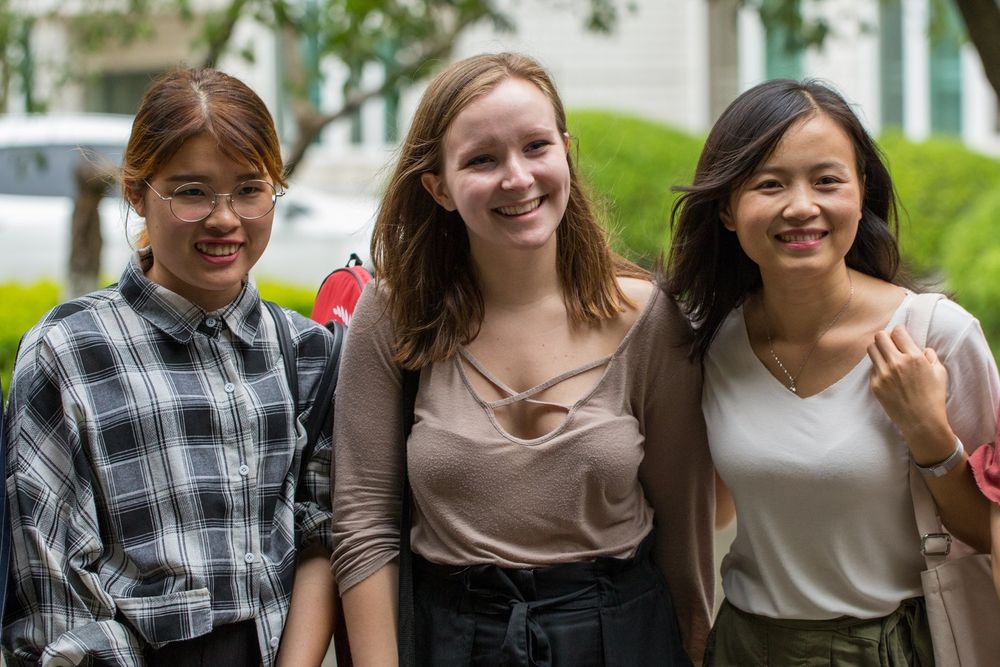
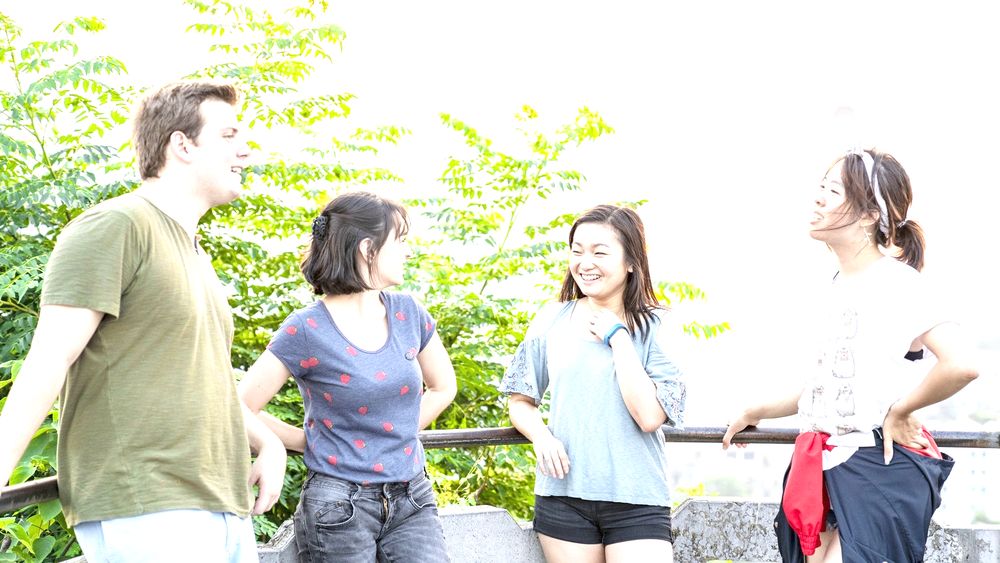
真心的笑,CLI 的牌子清楚,人离得近。Real laughter, the CLI sign clear, people close together.走廊里的真实对话,大家都在看对方,不是看镜头。A real hallway conversation: people look at each other, not the lens.人在前面,山在后面:人和地方都有了。People in front, mountains behind: both the people and the place.
桂林的山水Guilin's landscape
桂林的山水是 CLI 最大的优势。但风景是配角,人是主角。
Guilin's landscape is CLI's biggest advantage. The scenery supports the people; it never replaces them.
阳朔骑车:人、河、山都在,横图适合做网站主图。Cycling in Yangshuo: people, river and karst in one horizontal frame, ready for a web banner.山顶打太极:大家在动,人和风景都在。Tai chi on a hilltop: people in motion, with the place around them.梯田里的小组:人够大,看得清脸,风景也在。A group in the rice terraces: people large enough to see their faces, with the scenery around them.
课堂和学习Class and learning
大家真的在用中文的时候,最能说明 CLI 教得好。
Moments of Chinese being used are the best proof of how well CLI teaches.
一对一课的近景,两个人在真正交流。A one-on-one lesson up close, two people really talking.逛书店:在教室外也在学。A bookstore visit: learning outside the classroom.近景细节:手、毛笔、专注的眼神。Close detail: hand, brush and concentration.
文化活动Cultural activities
每周活动和外出活动里的文化体验。
Cultural experiences from weekly activities and excursions.
一起包粽子:动手做,大家在一起。Making zongzi together: hands busy, everyone involved.做饭课:学生在动手,旁边的人在笑。Cooking class: the student is doing it, and the people beside her are laughing.剪纸课:老师在讲,学生在剪。A paper-cutting class: the teacher explains while a student cuts.
吃饭和日常生活Food and daily life
小吃、市场、一起吃饭:这些日常细节让照片有温度。
Street food, markets, shared meals: everyday details that make the photos warm.
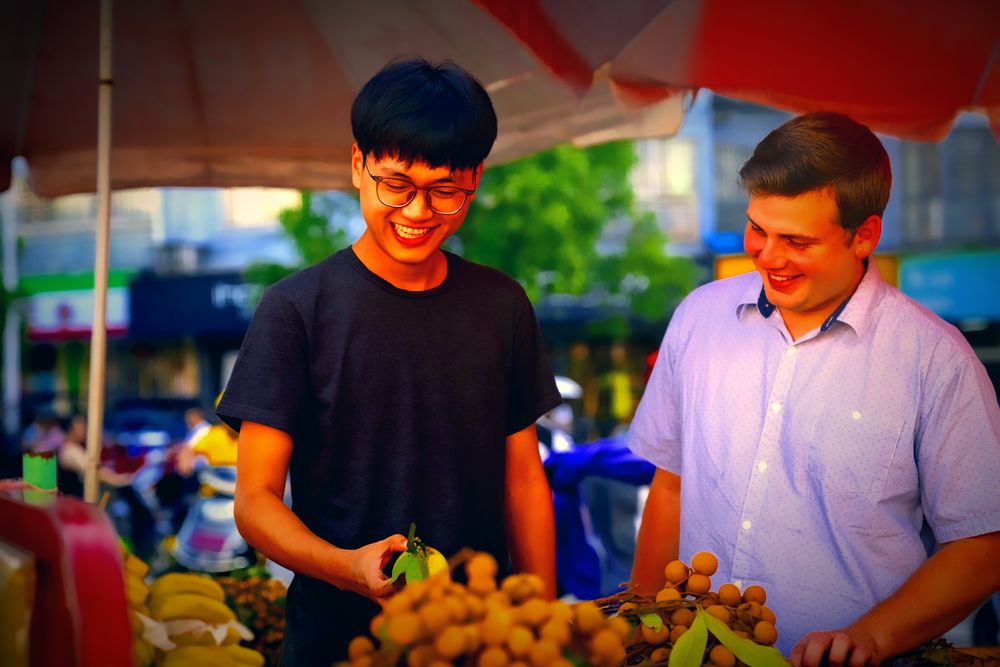
特写:筷子、一起吃的菜。Close-up: chopsticks and a shared dish.在小摊前聊天:人、地方、食物都有。Chatting at a food stall: people, place and food.水果摊前,学生在用中文。At a fruit stand, a student using Chinese.


 模拟Simulated