

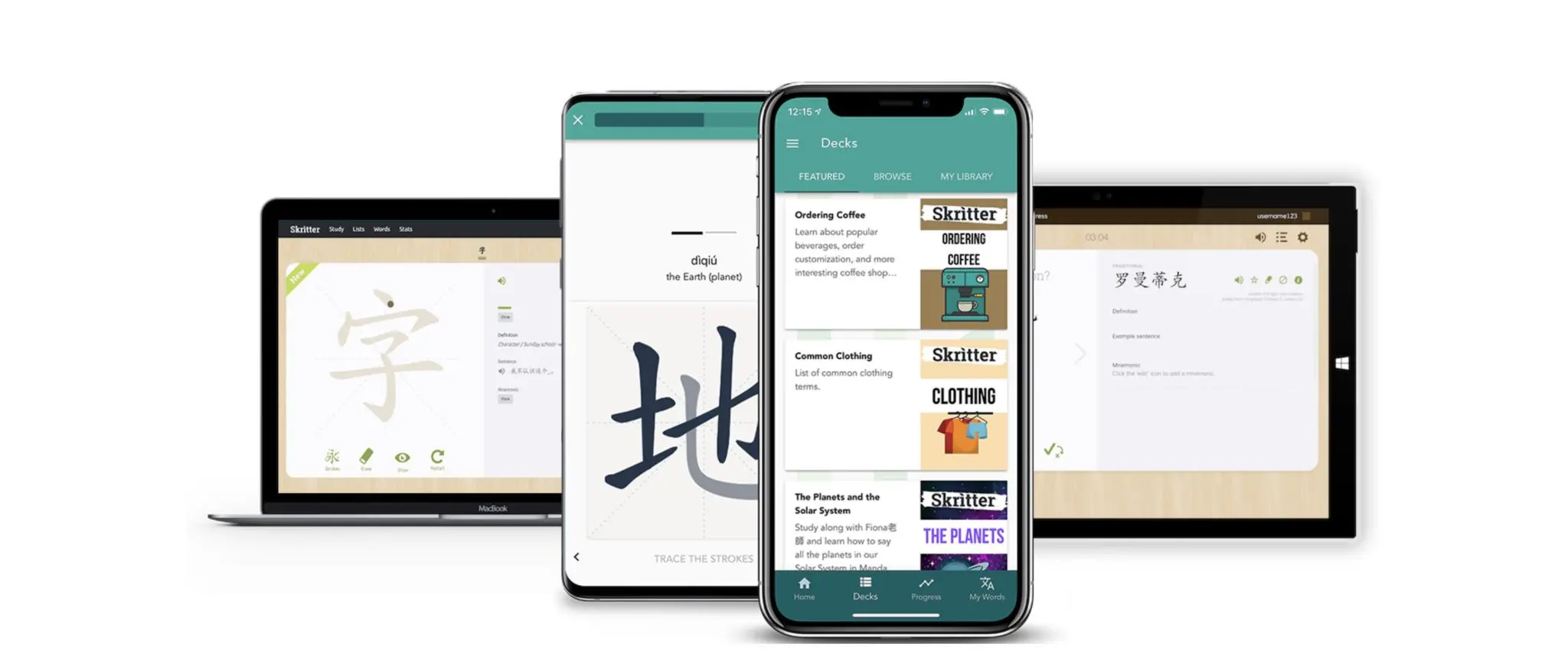
- Skritter is a handwriting-focused flashcard app for Chinese and Japanese characters. You write each character with your finger or mouse and get graded stroke by stroke, in real time.
- It runs in a web browser and as an app on iPhone, iPad, and Android, so you can practise on whichever device you have to hand.
- Every plan starts with a free 7-day trial, and each card comes with pinyin, native-speaker audio, an example sentence, a character breakdown, and an optional mnemonic hint.
- Skritter is a tool, not a curriculum — it works best alongside a textbook, a study plan, or a teacher, which is why so many students pair it with lessons in China or online.
Skritter is a fresh, inventive way to master Chinese characters. If you're not a current user, take the following steps to get hooked up immediately — trust us, your Chinese skills will thank you.
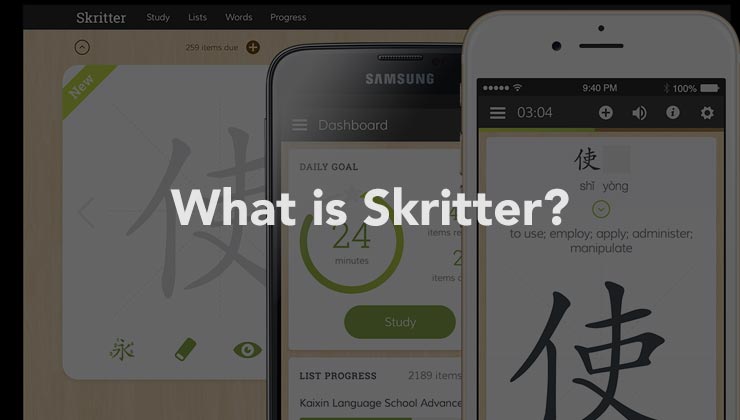
Skritter has been built around one idea: you learn characters properly by writing them, not by recognising them. That focus is what sets it apart from general-purpose flashcard apps.
Below we walk through how it works, what it costs, and where it fits alongside the rest of your study routine.
01 What Is Skritter and How Does It Work?
Skritter is a subscription app for learning to read, write, and pronounce Chinese and Japanese characters. It runs in your browser as well as on iOS and Android.
Handwriting Recognition and Stroke-Level Feedback
The core of Skritter is handwriting recognition. You write a character stroke by stroke and the app grades each stroke as you go, correcting you the moment you go wrong rather than at the end of the card.
Behind that sits a spaced repetition system that pushes the characters you keep getting wrong to the front of the queue. Skritter's own claim is that you can learn a new character in under a minute and retain most of what you study.
Should You Use the App or the Browser?
Because each platform offers its own study experience, the first move is to decide whether you want to use the tool online or on your mobile device. Both cover the same decks and share your progress, so the choice comes down to how you like to write.
If handwriting is your main goal, start on a phone or tablet. Tracing a character with your finger is much closer to holding a pen than dragging a mouse across a desk, and reviewers consistently rate the touchscreen experience as the better one.
02 Using Skritter on iPhone, iPad, and Android
Skritter's mobile apps strongly emphasise character writing and stroke order, which is perfect for those looking to solidify their handwriting technique. If you have ever wondered whether the rules of Chinese stroke order actually matter, a week of app drills will settle the question.
Feedback Thorough Enough to Feel Like a Game
The app's greatest advantage is that it provides extremely thorough feedback to help you improve quickly, all the while giving you a feeling like you're playing a mobile game. Streaks, instant grading, and a queue that visibly shrinks all do their part.
Decks are organised by theme and by level, from everyday topics through to full HSK 1–6 vocabulary sets. That makes it easy to line the app up with whatever you are already studying.
03 How to Study Chinese on Skritter in Your Browser
Want to study from a laptop or desktop computer? Head to skritter.com and sign up for the free 7-day trial.
Finding and Adding a Vocabulary List
Once you're in, hit 'Browse Lists' to scroll through user-contributed or textbook-based vocabulary decks, then add one to your queue. There are hundreds to choose from, and you can build your own if nothing quite fits.
Select a chapter or set to review, look over the new words in a convenient list form, and then hit 'study now' to begin your session.
What a Study Session Actually Looks Like
You'll see a Chinese character accompanied by its pinyin, an example sentence, an audio option, and even the choice to see a mnemonic hint pop up on the screen. Writing prompts ask you to produce the character yourself, with the app grading your strokes as you draw them.
Click the character once you've got it and the definition is revealed, followed by the chance to grade how well you knew it. A few cards later, you'll be asked to input the pinyin for the same character.
04 The Skritter Features We Like Most
Character Decomposition and Related Words
One of our favourite things about Skritter is the 'info' button next to each word, which provides a decomposition of the character and a useful list of related words. Seeing which components a character is built from is one of the fastest ways to learn Chinese characters without resorting to brute-force repetition.
We're also huge fans of its user-oriented model, which maximises your ability to access and retain new information.
Audio, Example Sentences, and Mnemonic Hints
Every card carries native-speaker audio and an example sentence, so you are learning pronunciation and usage rather than isolated shapes. The optional mnemonic hints give you a story to hang a stubborn character on.
Definitions and related words are available on every card too, which saves a lot of tab-switching. It doesn't replace a good online Chinese dictionary, but it covers most of what you need mid-session.
A Clean, Distraction-Free Interface
The interface is clean and appealing, and it stays out of the way while you write. Skritter has truly changed the way that we study and write Chinese characters.
05 Is Skritter Worth It? Pricing and Free Trial
Skritter is a paid subscription with a free 7-day trial on every plan. A limited guest experience also gives you access to a handful of decks without paying.
| Plan | Price (USD) | Notes |
|---|---|---|
| 1 month | $14.99 | Best for testing it against a single textbook chapter |
| 6 months | $59.99 | Roughly $10 per month |
| 12 months | $99.99 | Cheapest per month; suits a full year of character study |
Prices are as listed on skritter.com in August 2026 and are worth checking before you subscribe. All three tiers unlock the same features.
Use the trial week deliberately rather than browsing. Add one textbook chapter or one HSK level, study it every day for seven days, and you'll know whether the writing-first approach suits you before any money changes hands.
Who Gets the Most Out of Skritter
Skritter pays off most for learners who genuinely want to write by hand — students sitting a paper-based exam, anyone studying calligraphy, and readers who find that writing a character is what finally makes it stick.
If your goal is purely recognition and typing, a general Chinese flashcard app may cover you for less. Don't take our word for it either way — go check out Skritter for yourself.

Study Chinese in Guilin or Start Online
CLI offers personalized Chinese instruction built around your goals. Join our Immersion Program in Guilin or begin from anywhere with a free Chinese lesson .
06 Useful Vocabulary for Studying Chinese Characters
The words below come up constantly once you start working through decks, textbooks, and app settings in Chinese.
| Chinese | Pinyin | Translation |
|---|---|---|
| 汉字 | Chinese characters | |
| 笔画 | stroke (of a character) | |
| 笔顺 | stroke order | |
| 部首 | radical | |
| 手写 | handwriting; to write by hand | |
| 练字 | to practise handwriting | |
| 生词 | new vocabulary word | |
| 词汇 | vocabulary | |
| 背 | to memorize; to learn by heart | |
| 复习 | to review | |
| 记忆 | memory | |
| 闪卡 | flashcard | |
| 拼音 | pinyin (romanization system) | |
| 声调 | tone | |
| 发音 | pronunciation | |
| 例句 | example sentence | |
| 词典 | dictionary | |
| 简体字 | simplified characters | |
| 繁体字 | traditional characters | |
| 课本 | textbook | |
| 应用 | app; application | |
| 免费试用 | free trial | |
| 订阅 | subscription; to subscribe | |
| 学习 | to study; to learn | |
| 进步 | progress; to improve | |
| 加油 | keep going; you can do it |
07 Where Skritter Fits in Your Chinese Study Plan
Study tools like Skritter can be a real game changer for those struggling to learn characters. Whether you're prepping for a standardized Chinese test like the HSK 4 or preparing to take an epic trip through China, finding the right study tools to support your Chinese learning is of utmost importance.
That said, an app handles drilling, not direction. Slotting it into a broader Chinese study plan is what turns twenty minutes of writing practice a day into steady progress.
Learn Chinese in China and those drills stop feeling abstract, because every character you've practised starts turning up on menus, street signs, and classmates' WeChat messages. Skritter gets the characters into your hand; being in China is what gives them somewhere to go.
If you'd rather test the water before subscribing to anything, our free HSK vocabulary flashcards cover the same core word lists in your browser.
And if you're looking for even more ways to take your Chinese skills to the next level, check out our reviews of two other online Chinese learning platforms, Anki and Yoyo Chinese.
For more personalized guidance, consider hiring an online Chinese teacher to help you learn Chinese online over Zoom or WeChat, or join us in Guilin for the ultimate Chinese language immersion experience.
Hope to see you in China soon!